
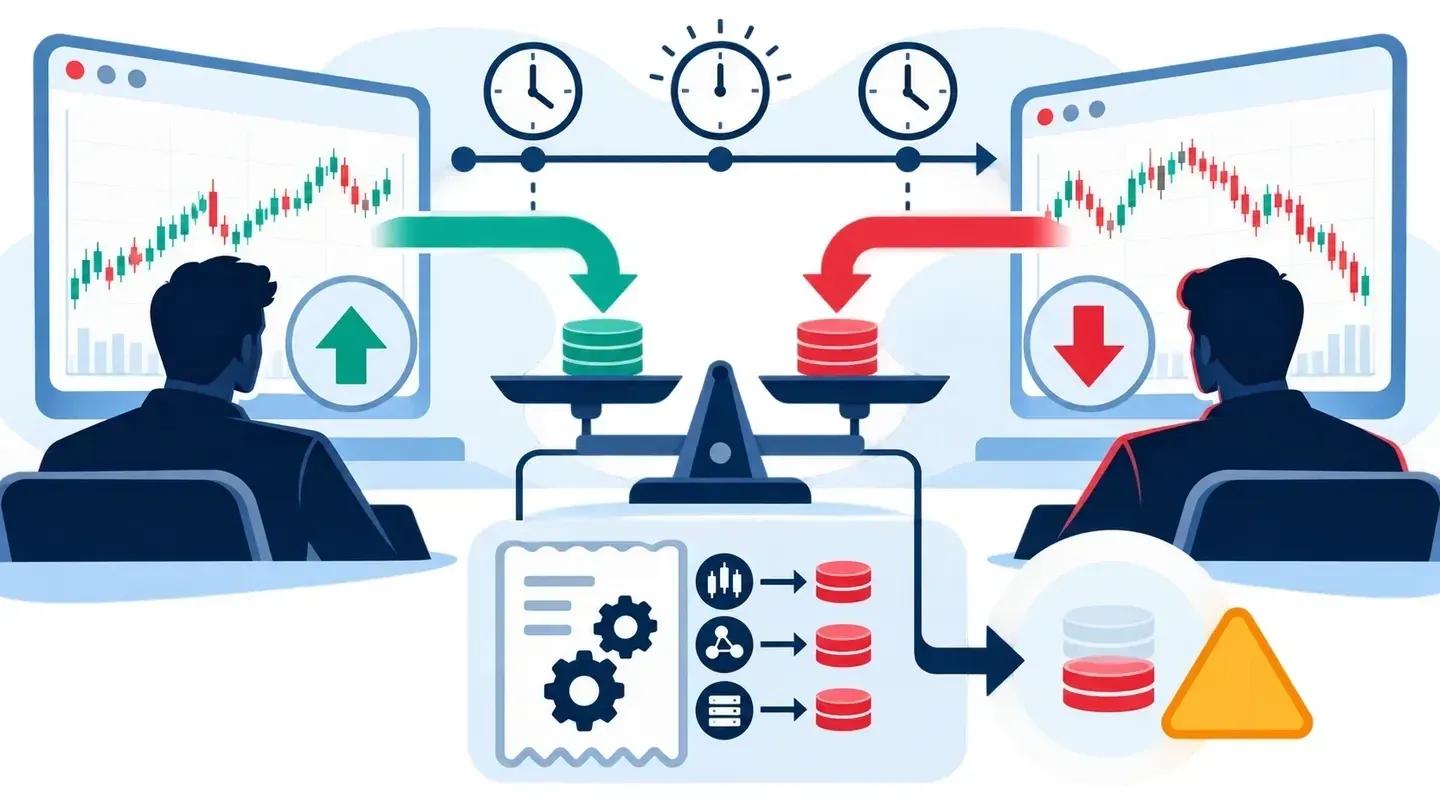
Two crypto exchanges can offer different funding rates for positions tied to the same coin. A trader may try to receive the higher payment on one exchange while paying a lower amount on the other. That idea is called funding rate arbitrage.
The difference is not automatically profit. Trading fees, payment times, price changes, and missing data can turn an attractive percentage into a loss. This article explains how to compare the payments and how a prototype tool helps investigate them.
The tool shown here compares data and prepares candidate alerts. Its funding API—the connection between its screens and data service—is not connected in the current application. The screenshots therefore show forms and an unavailable-data message, not live rates or completed trades. The tool does not place orders.
What is a funding rate?
A perpetual futures contract lets someone take a position on a cryptocurrency’s price without a fixed expiry date. Unlike buying the coin itself, this is a trading contract. Exchanges use recurring funding payments to help keep its price close to the underlying market.
A long position benefits when the contract price rises; a short benefits when it falls. When funding is positive, longs generally pay shorts. When funding is negative, shorts generally pay longs. The exchange’s contract rules determine who qualifies for each payment.
A rate of 0.01% on a 10,000 USDT position means a 1 USDT payment for that funding event. USDT is a crypto token designed to track the US dollar; it still carries its own risks. The position value, not just the number of coins, determines the payment.
How does the arbitrage work?
The basic idea is to hold a long on one exchange and a short on another, with matching position values. The trader hopes the funding received is larger than the funding paid and the costs of both positions.
Opposite positions may reduce exposure to a broad market move, but they do not remove every risk. Prices can move differently across exchanges. Funding can change, and a position can be liquidated if its collateral becomes insufficient.
Before comparing rates, check that both contracts really cover the same asset. Similar symbols are not enough: the settlement currency, contract size, and payment rules must also match. Equal coin quantities do not always mean equal position values.
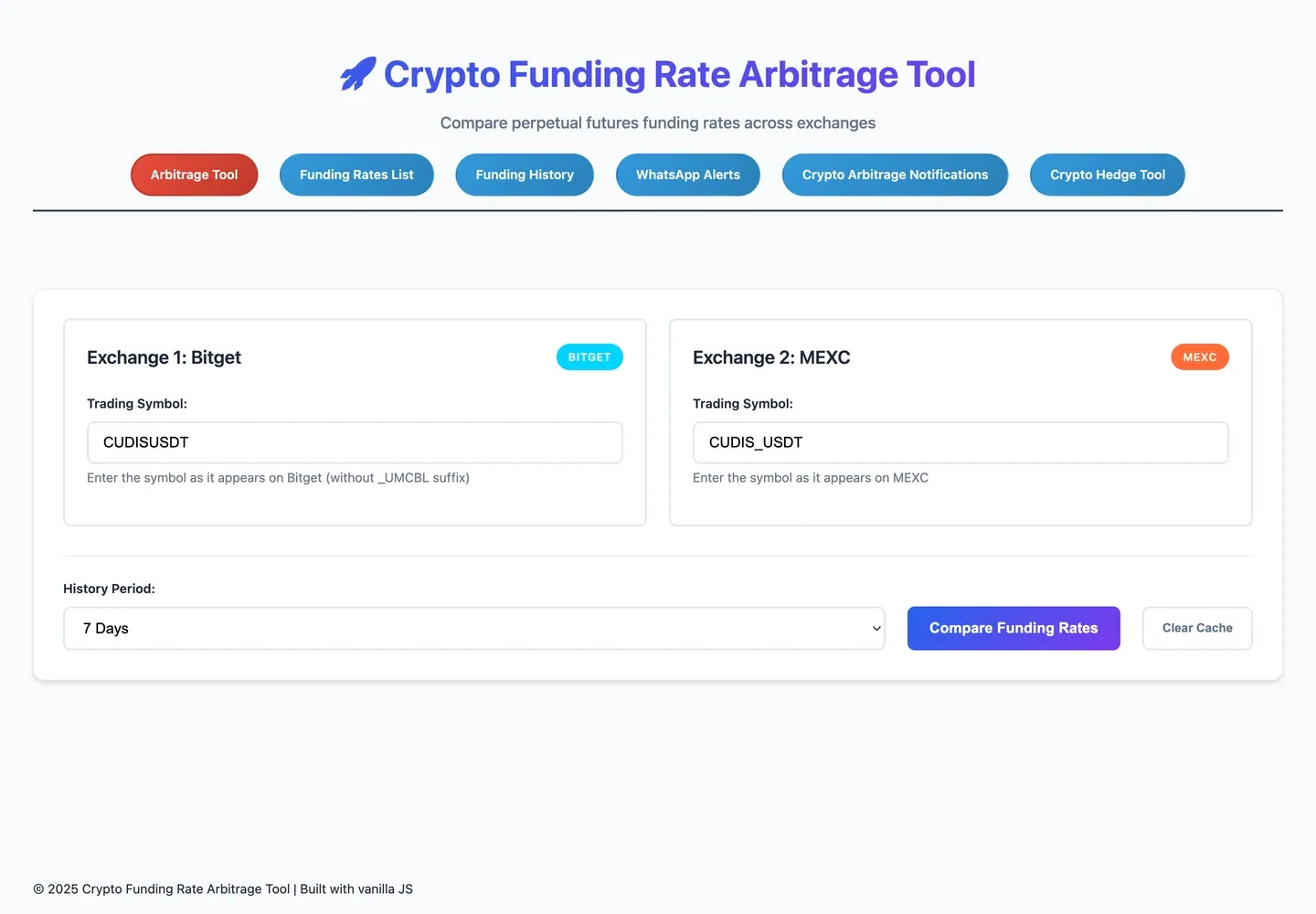
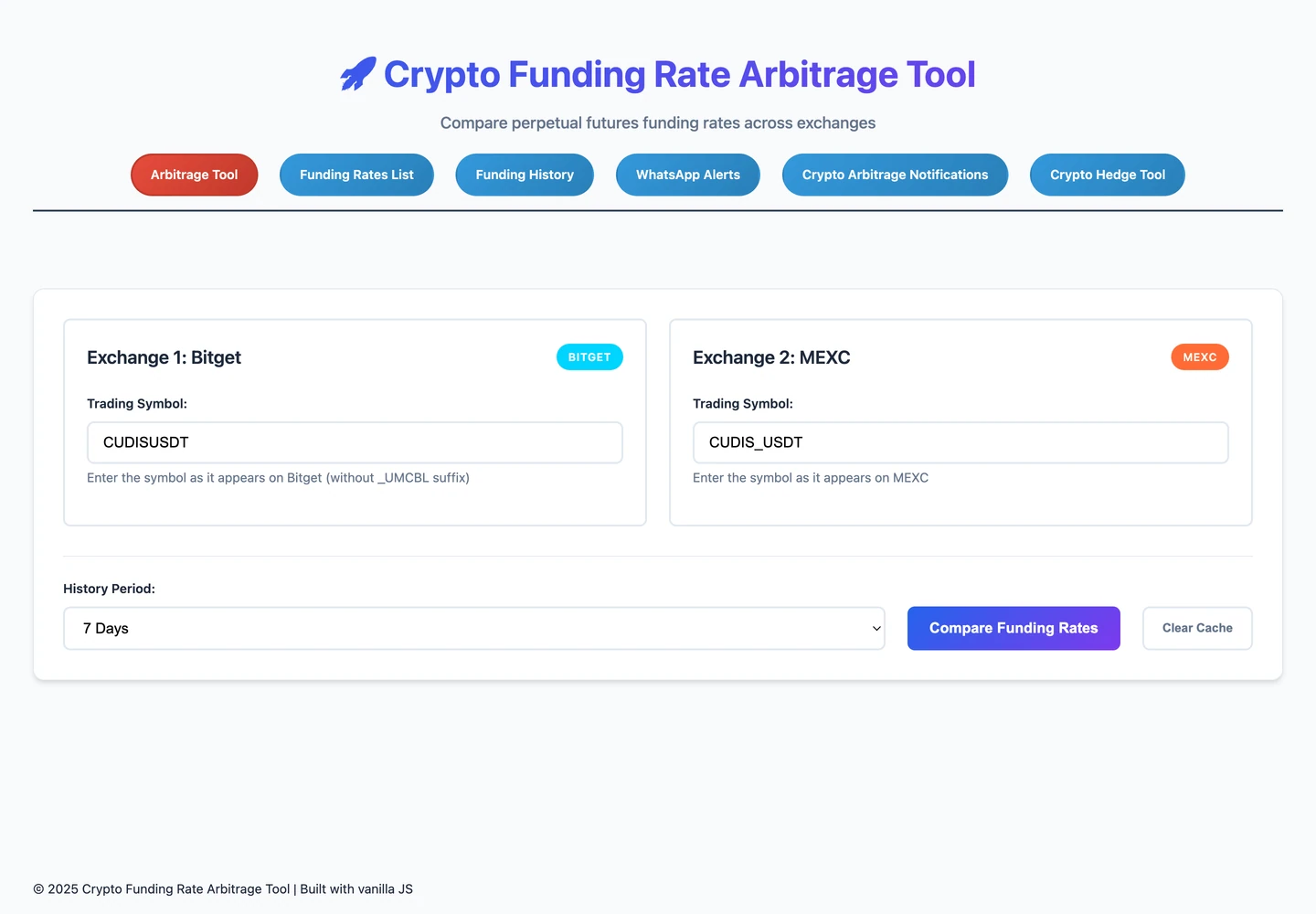
The comparison form has a disconnected API. It shows a requested comparison, not a result.
What this form shows
- Left — Bitget: the selected contract is CUDISUSDT.
- Right — MEXC: CUDIS_USDT uses the other exchange’s naming format. This alone does not prove the contracts are equivalent.
- Bottom — history and action: seven days is selected beside Compare Funding Rates. No fetched payments are shown.
Follow the money, not just the rate
Suppose a trader holds a 10,000 USDT long on exchange A and a matching short on exchange B. Both qualify for the same eight-hour payment. A’s positive funding rate is 0.01%; B’s is 0.03%.
| Payment or cost | Illustrative amount in USDT |
|---|---|
| Long on A pays funding | -1 |
| Short on B receives funding | +3 |
| Funding received minus funding paid | +2 |
| Assumed combined trading fees | -4 |
| Amount left after those fees | -2 |
The funding difference earns 2 USDT, but the assumed fees turn it into a 2 USDT loss. Assume fees add up to 2 USDT for each position, or 4 USDT across both. These are invented numbers to explain the calculation, not exchange quotes or an observed trade. They also leave out price differences between exchanges, worse-than-expected execution prices, liquidation, and future rate changes.
The tool’s displayed rate difference is not the same as this cash result. It subtracts the second exchange’s rate from the first. For a long on the first exchange and a short on the second, the funding benefit uses the opposite subtraction. Always check which side pays and which receives.
There is another easy mistake: exchange data uses decimal rates. A value of 0.0001 already means 0.01%. Converting it twice would make the displayed percentage a hundred times too large.
Compare the same payment times
A useful comparison needs payments from the same time period. Comparing one hourly payment with one eight-hour payment can be misleading. Simply repeating an hourly rate eight times assumes it never changed.
The screen’s comparison keeps only records with exactly matching payment timestamps and orders them by time. Even a one-millisecond difference will not match. Repeated records for one timestamp count as one observation, not extra payments. No matching timestamps means there is nothing comparable—not that the trader earned zero.
A seven-day selection also does not prove that seven complete days arrived. Bitget’s retrieval estimate assumes three payments daily and stops at 100 records. Check the actual earliest and latest payments and any gaps.
Bitunix needs extra care. This prototype creates an artificial history from its current rate, an assumed schedule, and random variation. Those points are not past market payments and cannot support a historical earnings claim.
Missing data is not a zero rate
If either exchange’s history fails to load, the comparison cannot finish. Replacing the missing side with zero would invent a result. The current rate parser can also turn invalid input into zero; that weakness needs fixing before its output can be trusted as financial evidence.
The tool reuses fetched histories for five minutes to avoid unnecessary repeat requests. That does not make the records permanently stored or guarantee that the latest payment has arrived. A failed request, missing time period, old result, and genuine zero rate mean different things.
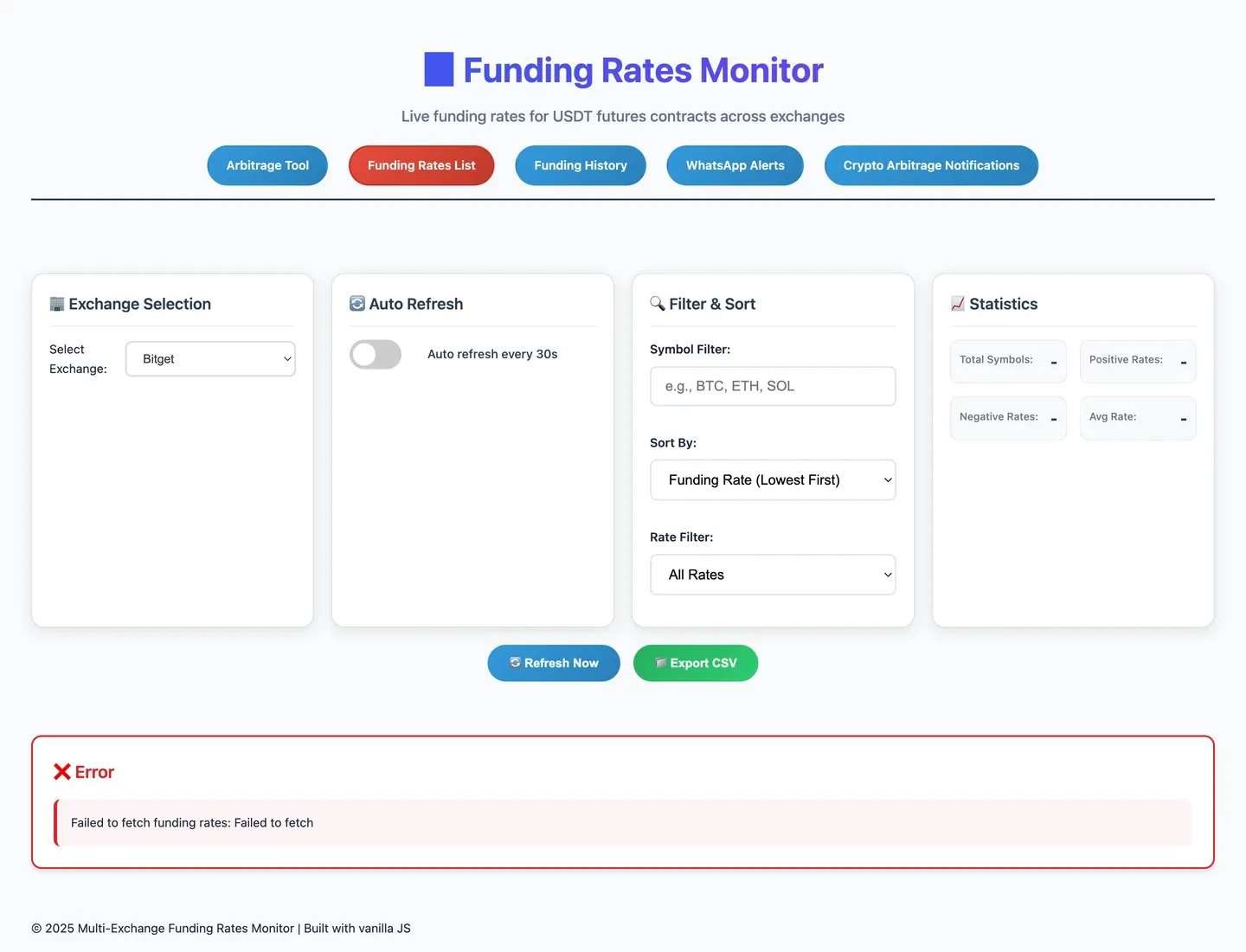
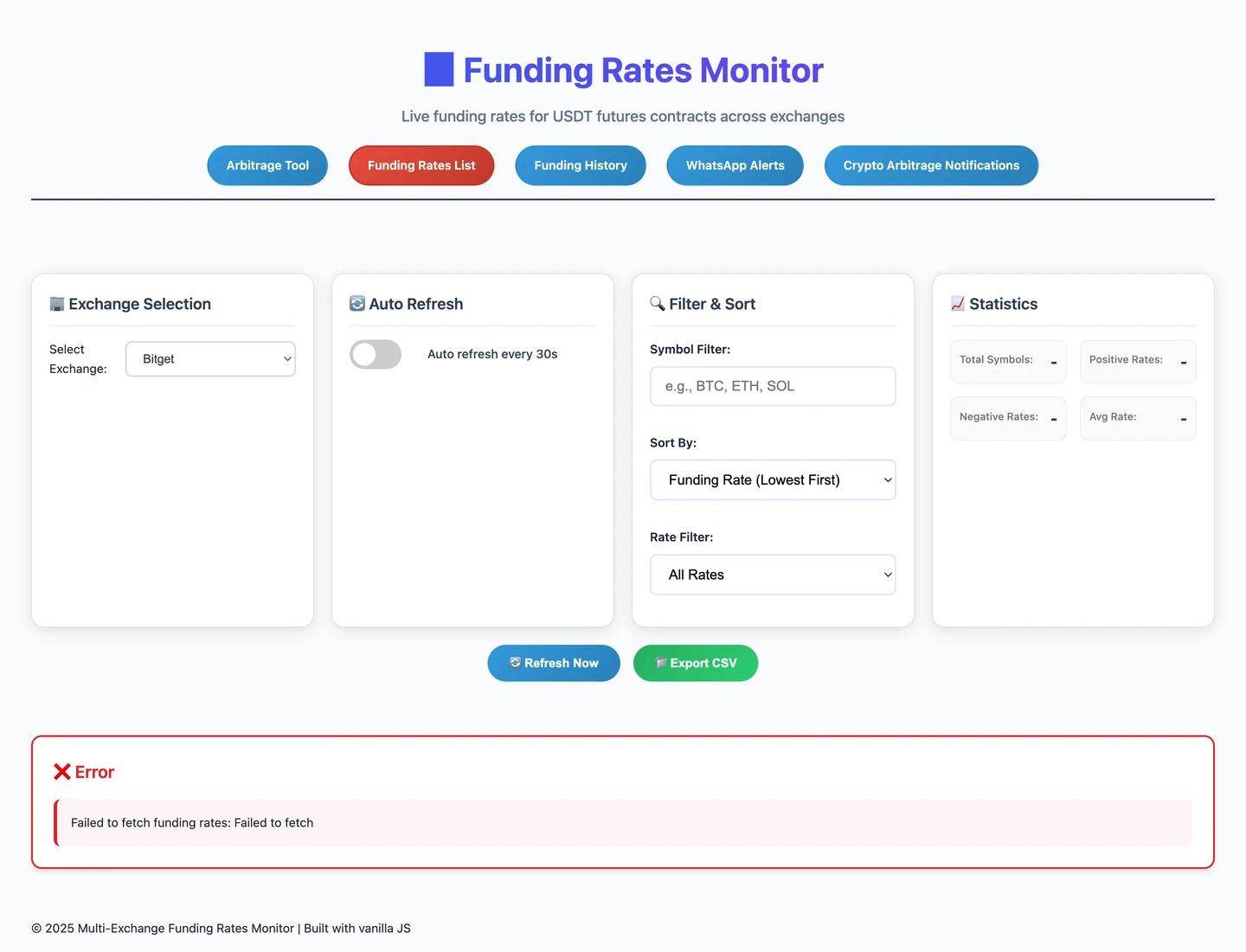
The monitor’s error means data could not be fetched. It is not a successful feed with zero funding rates.
What this error screen shows
- Exchange selection: Bitget is selected. Auto-refresh is off in the next control card.
- Filters: the symbol is empty, sorting is lowest first, and All Rates is selected.
- Statistics: the four values are dashes, not measured zeros.
- Below Refresh Now and Export CSV: the red panel says “Failed to fetch funding rates: Failed to fetch.” There is no populated rates list.
An alert is a starting point
A separate scanner looks for possible comparisons. It selects up to ten Bitget rates whose size is above 0.1%, whether positive or negative, and processes them in groups of three. When started, it schedules hourly WhatsApp summaries.
Its analysis differs from the screen’s exact-time comparison. It estimates payment intervals from the first two sorted records, or assumes eight hours when needed. It checks record counts, but enough records do not prove there are no gaps.
One calculation pairs histories by list position rather than equal payment times. It can therefore compare different events. Its average-rate gap also leaves out position direction, position value, and fees. A large gap is a reason to investigate, not proof of net earnings.
The scanner has safeguards against overlapping work within one running process. Those safeguards do not guarantee that a message will never be sent twice after a restart or across multiple processes.
How the comparison tool is organized
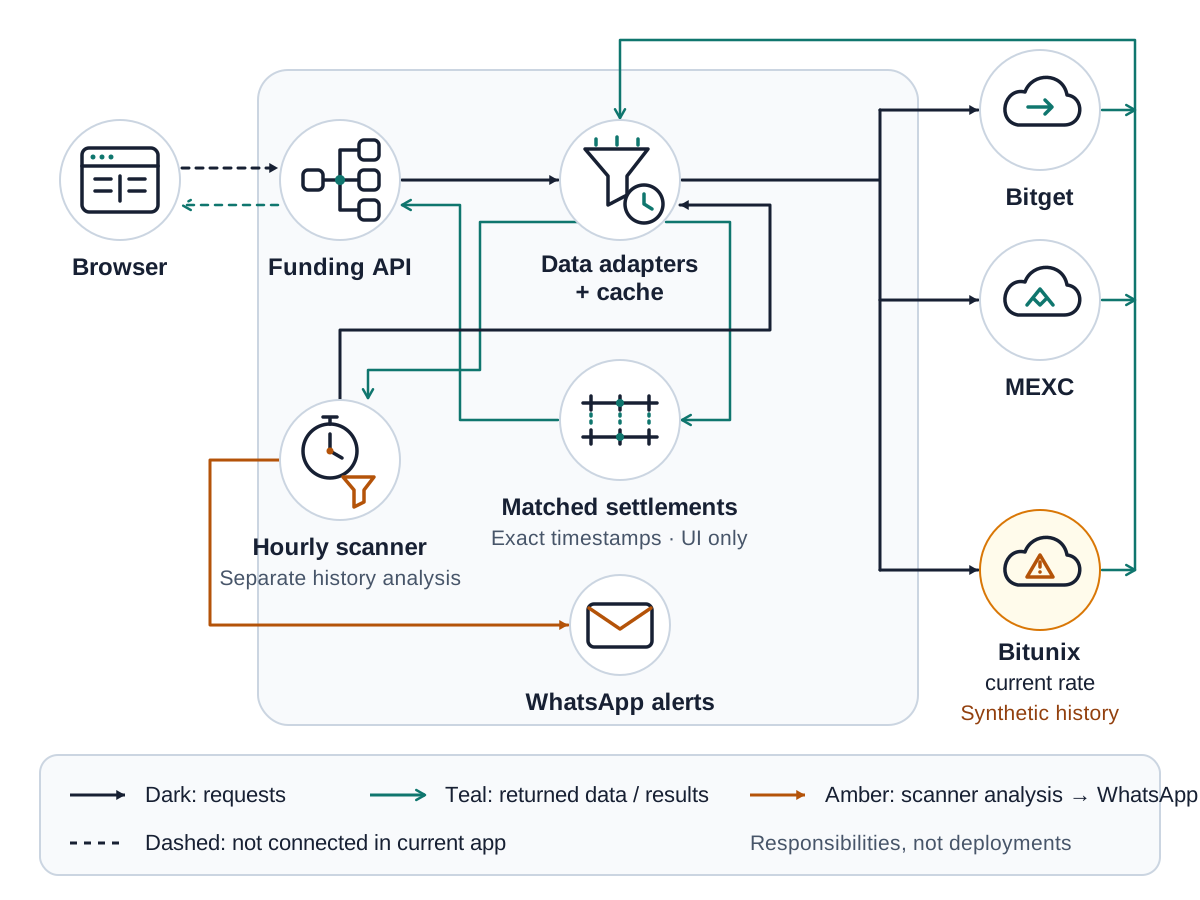
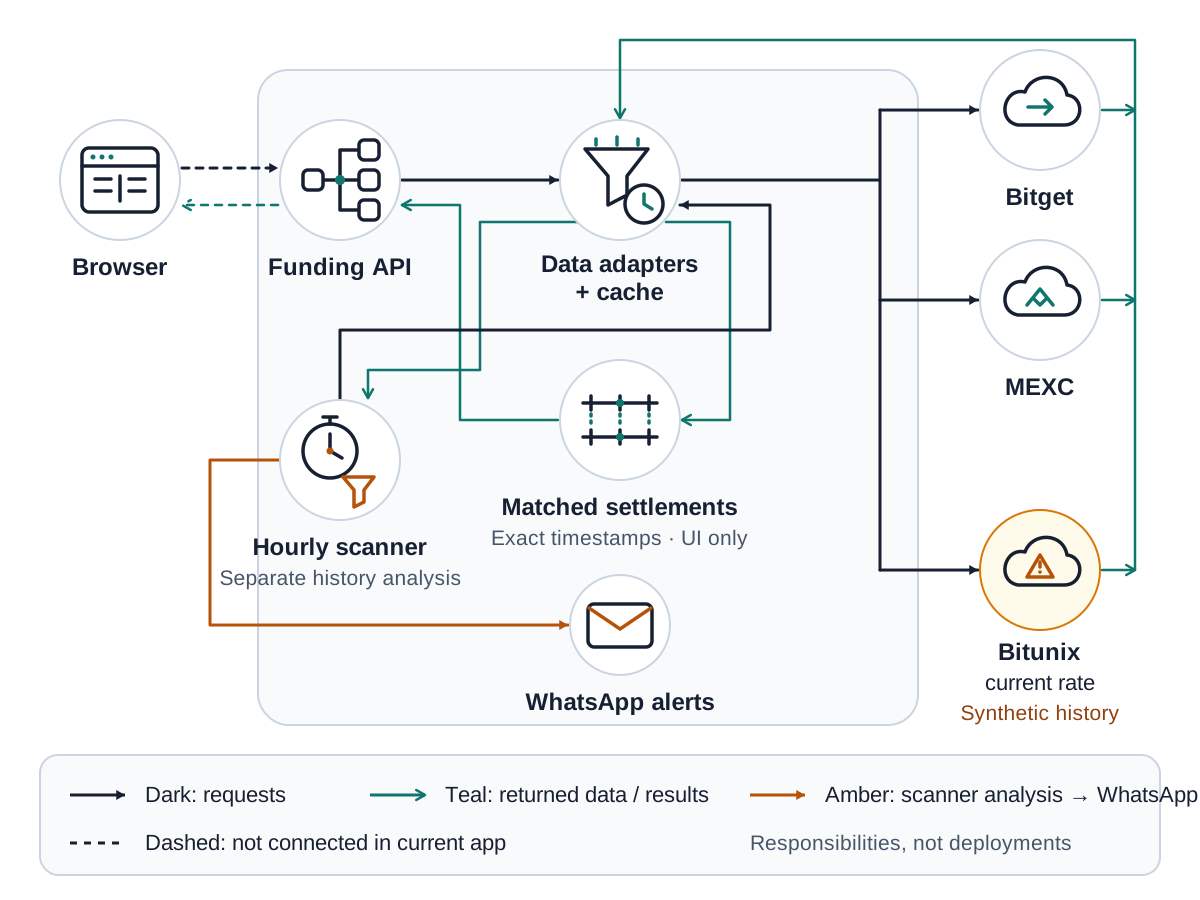
Nine responsibilities, not nine separate running services. Open the full-size diagram to inspect its labels.
- Browser → Funding API → Data adapters + cache: the intended route from a screen to the service that fetches and temporarily reuses exchange records. Dashed browser connections are not connected in this application.
- Bitget, MEXC, and Bitunix: the exchange sources on the right. Bitunix’s warning marks its artificial history.
- Matched settlements: compares records with equal payment times for the screen.
- Hourly scanner → WhatsApp alerts: investigates candidates separately. It requests histories through the shared data service, but does not use the screen’s matching calculation.
- Arrow colors: dark means a request; teal means returned data or a result; amber means candidate analysis sent toward WhatsApp.
The main lesson: crypto funding arbitrage starts with comparable contracts and payment times, then subtracts every relevant cost. A rate gap or an automated alert is not a guaranteed return. This is an explanation of a comparison tool, not an investment recommendation.
Further reading: Binance explains funding payments and settlement eligibility. Check each exchange’s own contract terms before interpreting a payment.